 PitchBoost
Redesign your PowerPoint without leaving ChatGPT
PitchBoost is a plugin in ChatGPT's plugin directory, free ChatGPT accounts included. Attach your slides, ask in plain words, and get them back redesigned in your brand as an editable PowerPoint, a PDF and a link you can track.
Find it in ChatGPT, then just ask
Search for PitchBoost in ChatGPT's plugin directory and choose Try in chat, or mention PitchBoost in any chat once it is added.
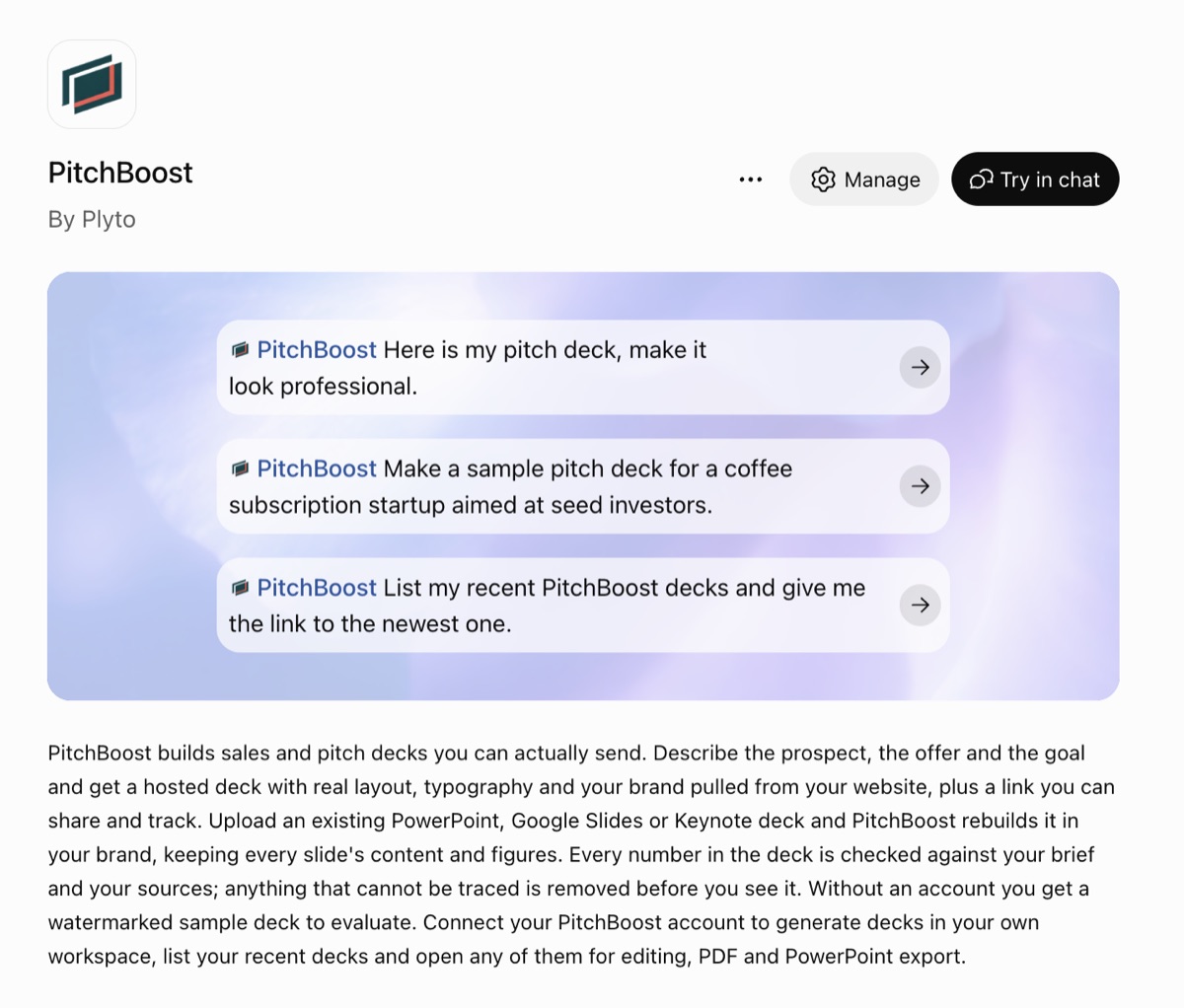
The chat you already use, with a designer attached
You are already there
Most people draft the content of a presentation in ChatGPT. With the plugin, the same chat turns that draft, or the PowerPoint you already have, into a designed deck. No new tool to learn and no copying between tabs.
Ask in plain words
Attach the .pptx and say what you want: make it look professional, use my university's colors, cut the text on every slide. ChatGPT passes your file and your request to PitchBoost.
ChatGPT writes, PitchBoost designs
ChatGPT is good at outlines and wording. PitchBoost does the part a chat cannot: real layouts, your brand taken from a website, and every number in your deck carried over exactly, with anything it cannot trace removed rather than invented.
A deck you can send, not a draft
The result is a finished deck: an editable PowerPoint, a PDF, and a share link that tells you when it has been opened. A file made by ChatGPT on its own uses plain default layouts and tells you nothing once you send it.
Prompts that work
Attach your .pptx first, then ask in your own words. These are good starting points.
Three steps, about a minute
Add the PitchBoost plugin
In ChatGPT, open the plugin directory, search for PitchBoost and add it. It works on free ChatGPT accounts as well as paid plans.
Sign in to PitchBoost once
The first time you use it, ChatGPT asks you to sign in to PitchBoost or create a free account. After that it remembers the connection.
Attach a deck and ask
Attach your .pptx (Google Slides, Keynote and Canva all export to PowerPoint) and ask. A few minutes later ChatGPT replies with a link: open the deck in PitchBoost for the full preview, the downloads and the share link.
Full steps and troubleshooting in the help center.
PitchBoost in ChatGPT, answered
Is PitchBoost available in ChatGPT?
Yes. PitchBoost is a plugin in ChatGPT's plugin directory. Add it, sign in to PitchBoost once, then attach a PowerPoint in any chat and ask for a redesign, or describe a new deck.
Does it work on a free ChatGPT account?
Yes. The plugin works on free ChatGPT accounts as well as paid plans, and a free PitchBoost account includes one deck a month of up to 10 slides.
How is this different from asking ChatGPT to make a PowerPoint?
ChatGPT on its own can write the content and produce a basic .pptx with plain layouts. With PitchBoost, the deck is designed: real layouts, your brand from a website, your numbers kept exactly, and a share link that shows when it is opened. For a deck you already have, PitchBoost rebuilds every slide instead of regenerating it as a new plain file.
What does it cost?
The free plan includes one deck a month of up to 10 slides, with a small PitchBoost badge. To finish one deck with no badge, there is a one-time $13 option with no subscription. Starter is $9 a month for regular use; all plans are on the pricing page.
Where do my decks go?
Into your PitchBoost account. ChatGPT gives you a link to each deck; you can also ask it to list your recent decks. Open any deck in PitchBoost to edit it, download the PowerPoint or PDF, or share it.
Can I do the same in Claude?
Yes. In Claude, add PitchBoost as a custom connector with the address https://app.pitchboost.ai/api/mcp. It works the same way: attach a deck, ask, get a link back.
More on what ChatGPT can do with slides on its own: Can ChatGPT make a PowerPoint?
Your next deck, designed from the chat.
Add PitchBoost in ChatGPT, or upload your slides on the web. Either way, free for your first deck.
How to Add the Plugin